Home / Apps / MyCookbook
LiveiOSAndroid

MyCookbook

Every recipe, in one place. Scan it once — keep it forever.

Scanned ✓ From the recipe box

Mama's Chicken & Dumplings

2 cups flour · 1 stick butter · double the roux,
always — and don't rush the broth.
Handwriting kept · ingredients read automatically · scales to any batch
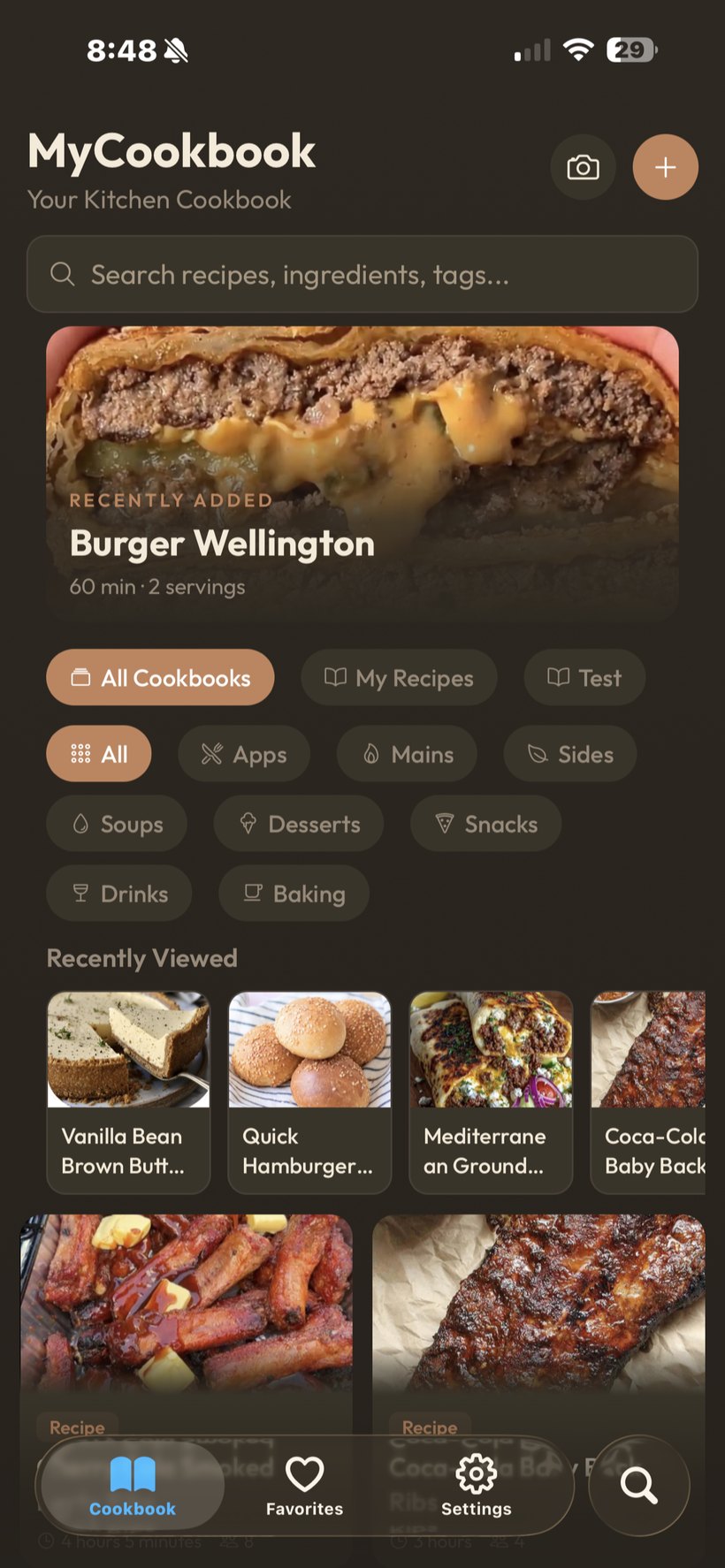
MyCookbook screenshot
What it does

The problem it takes off your plate

MyCookbook turns every recipe you own into one living cookbook. Photograph a handwritten card, screenshot a recipe from anywhere, paste a link — the app reads the ingredients and steps into a clean, scalable recipe while keeping the original photo attached, handwriting and all.

Most home cooks and operators keep recipes in five places: a recipe box, a camera roll, saved posts, browser bookmarks, and one stained binder. When it's time to cook, the recipe you need is always in the other place. MyCookbook is the one place.

And because it's built by the ChefScale people, every recipe scales. Sunday dinner for 4 becomes Thanksgiving for 22 without a calculator — the batch math is done, unit conversions included.

Key features

What's in the app

Scan handwritten cards

Photograph the card; the ingredients and steps are read into a structured recipe. The original stays attached — the handwriting is the heirloom.

Import from screenshots & links

Screenshots, web pages, even recipe videos — paste it in and the recipe comes out clean. No ads, no life stories.

Scale any batch

Serves 4 → serves 22 in one tap, with kitchen-smart unit conversion. Syncs with ChefScale on the paid tier.

Share a recipe with a link

Send any recipe to anyone — they open a clean page, no app required.

Cookbooks & categories

Organize into cookbooks — holidays, weeknights, the restaurant's specials — with search across everything.

Cook mode

Big type, screen stays awake, step by step. Made for a counter with flour on it.

In the wild

How people use it

one.

The recipe box rescue

A shoebox of a grandmother's handwritten cards, photographed in an afternoon. Every card becomes a searchable, scalable recipe — and the handwriting stays with each one, exactly as she wrote it.

two.

The camera-roll cleanup

Forty screenshots of recipes saved over two years, imported in batches. The camera roll goes back to being photos; the recipes become a cookbook.

three.

The holiday scale-up

The family gumbo feeds 6. This year it's 18 at the table. One tap — every quantity scaled, cups converted to quarts where it makes sense.

FAQ

Frequently asked questions

Does it really read handwriting?+
Yes — photograph the card and the ingredients and steps are read into a structured recipe. Hard-to-read lines are flagged for a quick check instead of guessed. The original photo stays attached either way.
What can I import from?+
Handwritten cards, printed pages, screenshots, recipe websites, and shared links. If you can photograph it or paste it, it can become a recipe.
Is my cookbook stuck in the app?+
No — any recipe can be shared as a clean web page with one link, and your recipes are yours.
How does the ChefScale sync work?+
On the paid tier, recipes saved in MyCookbook appear in ChefScale automatically, ready for batch scaling on the line.
Free tier limits?+
Free to start with room to build a real cookbook. The paid tier unlocks unlimited recipes and the ChefScale sync.
Go deeper

Related reading

The builder

Built by an operator

MyCookbook is published by ALSTIG INC , founded by Ben Mouton — a 14-year independent restaurant operator. Every app on the ALSTIG stack came from a problem hit during the run — the originals proven in service at Mouton's Bistro & Bar in Cedar Park, TX, which Ben ran for fourteen years before selling in 2026. Free to start. No platform contracts.

Get started

Free to install. Your recipes, kept.